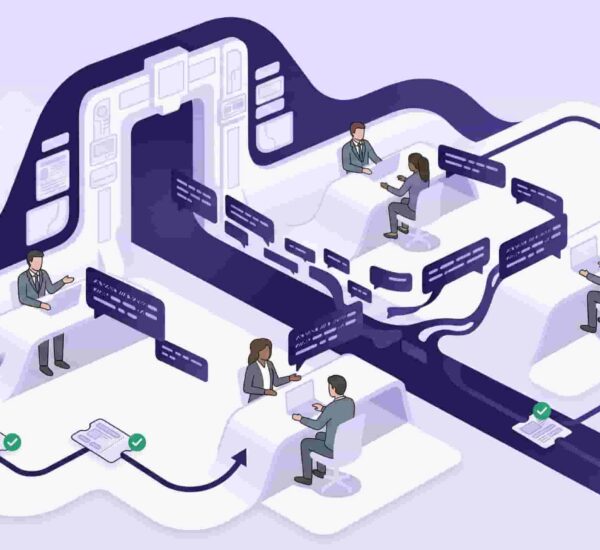
Here’s what traditional IT ticketing asks your employees to do: stop what they’re working on, open a browser tab, navigate to a helpdesk portal they rarely visit, remember their login credentials, fill out a form describing the problem, submit it, and then wait — with no visibility into what happens next.
Most employees don’t do this. They DM the IT person directly. And that’s the entire problem conversational ticketing solves.
What is conversational ticketing?
Conversational ticketing is a support model where employees submit IT requests, facilities issues, and internal queries directly inside a messaging platform like Slack or Microsoft Teams — rather than navigating to a separate helpdesk portal. Instead of filling out a form in a new tab, an employee sends a message, and the system automatically converts it into a tracked ticket, routes it to the right person, and follows up without anyone leaving their normal workflow.
The Problem With Traditional IT Support Portals
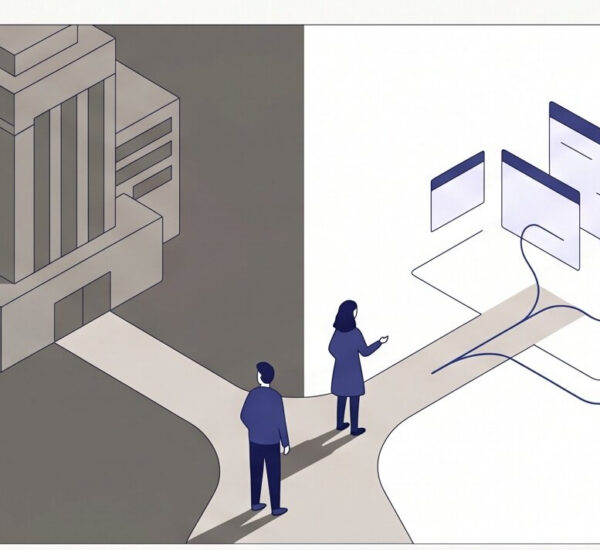
Traditional help desk ticketing systems were built around a specific assumption: that employees would change their behavior to use them. That assumption has always been optimistic.
When employees are given the choice, 70% submit requests through Slack rather than a separate portal. That’s not a training problem or a culture problem — it’s a friction problem. The portal adds steps between the employee and the resolution, and most people will take the path of least resistance every single time.
The result is predictable. The ticketing system sits underutilized. Requests come in through DMs and email and Slack messages that have no structure, no owner, and no way to track resolution. The IT person manages everything from memory. Things get missed. Employees get frustrated. And the system nobody uses gets blamed for not working.
Conversational ticketing fixes this by removing the friction entirely.
How Conversational Ticketing Works
A conversational ticketing system turns the tools employees already use — Slack and Microsoft Teams — into a fully structured internal helpdesk. No separate portal. No new login. No behavior change required.
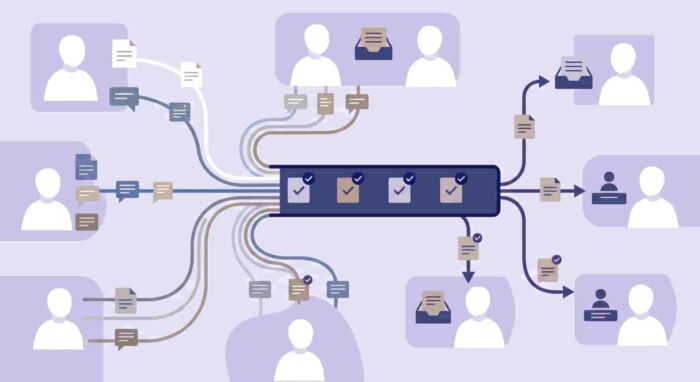
The mechanics are straightforward. An employee sends a message in Slack — either in a dedicated channel like #it-help or directly to a bot — describing what they need. The conversational ticketing system automatically converts that message into a tracked ticket, assigns it to the right person or team, and sends the employee a confirmation. From there, updates happen inside the same conversation thread, so the employee never has to go somewhere else to check status.
On the IT side, every request is visible in a centralized queue — usually a Kanban-style board — with status, priority, and owner clearly marked. Agents can respond, update, and resolve tickets without leaving Slack either. The entire support workflow lives inside the same platform where the rest of the team’s work happens.
A Forrester study found that service teams using Slack-native tools experienced a 10.7% reduction in handle times — and when employees can submit IT requests directly in Slack, adoption increases and resolution times drop.
Conversational Ticketing vs Traditional Ticketing: The Key Differences
The difference isn’t just interface — it’s architecture. Traditional help desk ticketing systems are built around a portal employees navigate to. Conversational ticketing systems are built around where employees already are.
In a traditional system, the burden of submission falls on the employee. In a conversational ticketing system, the burden falls on the tool — it has to be smart enough to capture, structure, and route a natural language message into a proper ticket without the employee doing any of the work.
That shift matters because it changes adoption fundamentally. Research from Atlassian shows that friction in request processes directly reduces adoption of formal systems — which is why even well-implemented traditional portals often see lower usage than expected. Conversational ticketing removes that friction at the point of submission, which is where adoption is won or lost.
The other key difference is visibility. In a traditional system, employees submit and wait. In a conversational IT support system, the entire interaction — submission, routing, updates, resolution — happens in one thread the employee can see in real time. That transparency reduces follow-up, reduces frustration, and reduces the number of “did anyone get my ticket?” messages that make IT’s job harder.
Who Uses Conversational Ticketing?
Conversational ticketing is most commonly used by internal IT, facilities, HR, and operations teams at growing companies — typically between 20 and 500 employees — where the overhead of a full enterprise ITSM platform isn’t justified, but informal Slack DM management has clearly stopped working.
Slack boasts over 12 million daily active users and Microsoft Teams serves over 75 million — and in most of those organizations, that’s already where internal conversations happen. Conversational ticketing meets employees in those platforms rather than asking them to add one more tool to their day.
Fast-growing tech companies, SaaS businesses, and operations-heavy organizations tend to adopt it earliest — because they’re already Slack or Teams-first, and the gap between “where employees ask for help” and “where IT tracks requests” is most visible there. But the use case applies to any company where IT requests currently land in DMs, email threads, and group channels with no structure.
What to Look for in a Conversational Ticketing System
Not all conversational ticketing tools are built the same way. Some are connectors layered on top of a traditional portal — Slack sends you a notification, but the actual ticket lives somewhere else. Others are genuinely native, meaning the entire workflow happens inside Slack or Teams from submission to resolution.
For a growing team evaluating a conversational helpdesk, the things that matter most are: whether ticket creation actually happens inside Slack or Teams without redirecting to a portal, whether routing is automatic or requires manual triage, whether employees get status updates in the same thread they submitted in, and whether the IT team has a proper queue view without leaving Slack.
Auto-routing is particularly important. A chat based ticketing system that captures requests but still requires someone to manually assign them hasn’t solved the problem — it’s just moved the inbox. The value of conversational ITSM comes from the automation layer: request comes in, gets categorized, gets routed to the right person, gets tracked through to resolution, all without manual intervention.
A knowledge base or FAQ deflection feature is also worth looking for. The average first response time to a support ticket is 7 hours and 4 minutes — but many of the most common IT questions don’t need a ticket at all. A conversational ticketing system that automatically answers repeat questions before they become tickets saves significant IT time every week.
How OfficeAmp Handles Conversational Ticketing
OfficeAmp was built from the ground up as a conversational ticketing system for Slack and Microsoft Teams. It’s not a traditional portal with a Slack connector — it’s a native helpdesk for slack that lives entirely inside the tools your team already uses.
Employees submit IT requests, facilities issues, and internal queries directly inside Slack or Teams — as a message, with no form to fill out and no portal to navigate to. Every IT request is automatically converted into a tracked ticket, routed to the right person, and updated inside the same thread. The IT team manages everything from a Kanban board inside Slack — full queue visibility, priorities, statuses, resolution tracking, all without leaving the platform.
The issue management system handles routing automatically — so IT doesn’t manually triage every incoming request. And the Smart QnA feature on the Pro plan deflects repeat questions automatically before they become tickets, reducing IT volume without reducing employee support quality.
For context on how OfficeAmp compares to tools that require a separate portal, see the full comparisons with Jira Service Management, ServiceNow, and Zendesk for internal IT. And if you’re looking at the Slack ticketing landscape more broadly, the Slack ticketing system guide covers the full picture.
Pricing starts at $1/user/month on the Standard plan. Start a 14-day free trial — no credit card required.
Frequently Asked Questions
What is conversational ticketing?
Conversational ticketing is a support model where employees submit IT requests and internal support queries directly inside a messaging platform like Slack or Microsoft Teams — rather than a separate helpdesk portal. The message is automatically converted into a tracked ticket, routed to the right person, and managed end-to-end inside the same chat interface. It removes the friction of traditional portals and meets employees where they already work.
How is conversational ticketing different from a traditional help desk?
A traditional help desk requires employees to navigate to a separate portal, log in, and fill out a form to submit a request. Conversational ticketing happens inside Slack or Microsoft Teams — an employee sends a message and the system handles the rest automatically. The key difference is adoption: when there’s no extra step, employees actually submit requests instead of working around the system.
What is a conversational ticketing system?
A conversational ticketing system is software that turns Slack or Teams messages into structured, trackable IT tickets — automatically routing them to the right person, updating the employee in the same thread, and giving IT a centralized queue view. Examples include OfficeAmp for internal Slack and Teams-native ticketing. The best systems handle routing, tracking, and FAQ deflection without requiring any portal or separate login.
Can Slack be used as a help desk ticketing system?
Slack alone doesn’t function as a proper help desk — messages get buried, requests have no owner or status, and there’s no tracking. But with a Slack-native conversational ticketing tool like OfficeAmp, Slack becomes a fully structured internal helpdesk. Employees submit requests as messages, tickets are created and routed automatically, and IT manages the full queue without leaving Slack.
What is the difference between conversational ticketing and conversational ITSM?
Conversational ticketing refers to the model of submitting and managing support requests through a messaging platform. Conversational ITSM is a broader term that applies the same chat-based approach to formal IT Service Management frameworks — including incident management, change management, and SLA tracking. For most companies under 200 people, conversational ticketing covers everything they need without the overhead of full conversational ITSM.
Is Microsoft Teams conversational ticketing different from Slack?
The model is the same — employees submit requests inside Teams, which are automatically converted into tracked tickets. The implementation differs slightly because Teams and Slack have different architectures. OfficeAmp supports both natively, so the experience is consistent whether your team uses Slack or Microsoft Teams as their primary communication platform.
How does conversational ticketing reduce IT workload?
Conversational ticketing reduces IT workload in two ways. First, it captures requests that would otherwise land as untracked DMs — giving IT a structured queue instead of a scattered inbox. Second, smart FAQ deflection answers repeat questions automatically before they become tickets. Together these mean IT spends less time triaging informal messages and less time answering the same question for the fifteenth time.
The shift from portal-based ticketing to conversational ticketing isn’t a technology trend — it’s a recognition that the old model was asking employees to do too much. Most employees will not change their behavior for a support tool. The tool has to change to meet them.
For growing teams that already live in Slack or Teams, that shift is straightforward. The helpdesk moves into the platform your team already uses, requests actually get submitted, and IT finally has visibility into everything that’s open — without managing a system nobody logs into.
See how OfficeAmp works as a conversational ticketing system inside your Slack workspace.