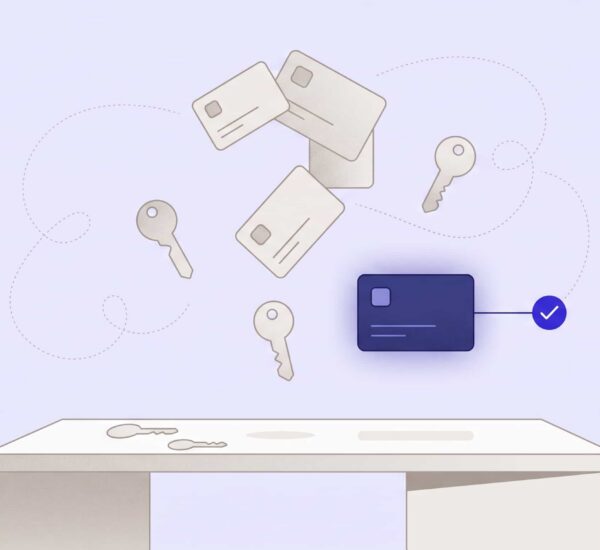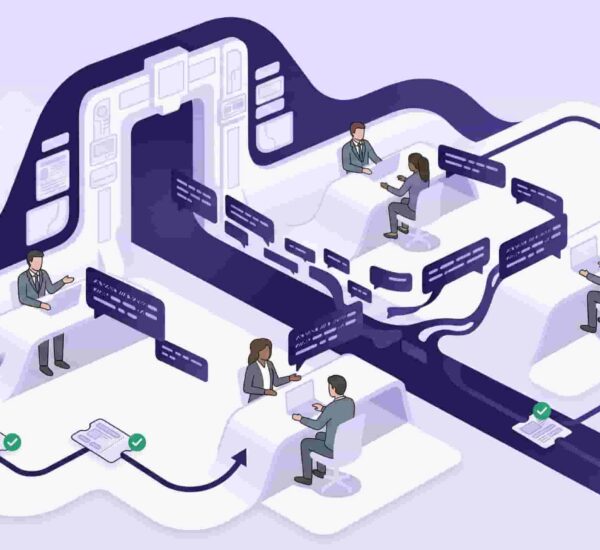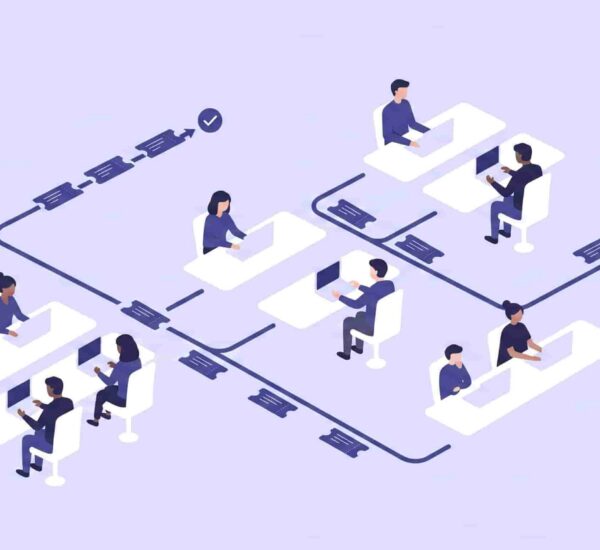
There’s a moment every growing company hits — usually somewhere between 30 and 80 people — where the informal IT support system that worked fine at 15 people starts quietly breaking down. Nobody announces it. Nobody files a report. It just slowly becomes true that things are getting missed, people are frustrated, and the IT person is spending half their day chasing context rather than solving problems.
Help desk software adoption has risen by 11 percentage points since 2020, and 60% of high-growth teams now use a dedicated help desk system as a core part of their support infrastructure.</cite> Most of the other 40% aren’t making a principled choice to go without — they just haven’t hit the moment yet where the pain becomes undeniable.
What is help desk software and when does a company need it?
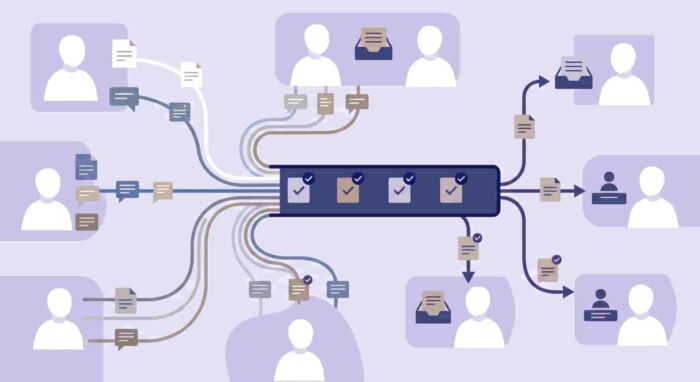
Help desk software is a platform that centralizes employee IT requests, internal support tickets, and workplace service requests — replacing ad hoc email threads, Slack DMs, and shared inboxes with a structured, trackable system. Most companies need it when IT requests start falling through the cracks, response times become unpredictable, or one person is fielding all internal support informally with no visibility into what’s open or resolved.
Here are seven signs that moment has already arrived.
1. IT Requests Live in Too Many Places at Once
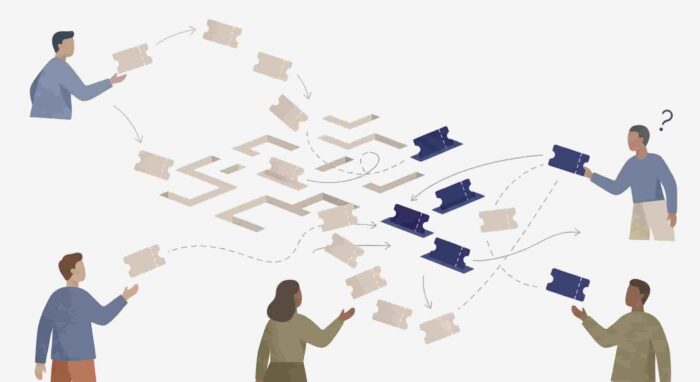
Someone emails IT. Someone else DMs the IT person directly on Slack. A third person posts in #general because they’re not sure where else to put it. A fourth person asks their manager, who Slacks IT on their behalf. All four are about different things, and IT has no single view of any of them.
This is the first and most reliable sign that a company needs help desk software: when internal support requests are distributed across multiple informal channels with no central tracking. 72% of support organizations use a help desk or ticketing system as their primary workflow tool</cite> — not because it’s a nice-to-have, but because without one, the cost of coordination becomes invisible and constant.
The fix isn’t asking employees to change their behavior. It’s giving requests a single structured destination that routes and tracks them automatically.
2. “Did That Get Sorted?” Is a Regular Conversation
When a manager has to follow up to check whether an employee’s request was handled, that’s a symptom. When it happens more than once a week, that’s a system problem.
Requests that live in someone’s DMs or email inbox have no visibility beyond the two people involved. There’s no status. No timeline. No way for anyone else to see whether something is in progress, waiting, or forgotten. The only way to find out is to ask — which is exactly what shouldn’t need to happen.
The average help desk ticket costs a company between $15 and $22 to resolve</cite> when handled through a proper system. When it’s being managed through fragmented conversations with constant follow-up, that cost is significantly higher — it’s just invisible because nobody’s measuring it.
3. The Same Questions Come In Every Single Week
How do I connect to the VPN? How do I request software access? Who do I contact about a facilities issue? What’s the process for getting a new laptop?
When IT fields the same questions repeatedly — every week, from different employees — that’s a knowledge gap that a help desk software system with a built-in FAQ or knowledge base would close automatically. Instead, IT answers the same question for the fifteenth time while the actual ticket queue keeps growing.
Companies can reduce contact-center costs by 25% by moving simple queries to self-service.</cite> For internal IT at a 50-person company, the math is similar: every repeat question that gets deflected by an automated answer is time the IT team gets back for work that actually requires a human.
4. New Hire IT Setup Is a Scramble Every Time
The new hire starts Monday. IT found out Friday. The laptop isn’t provisioned, the software licenses aren’t allocated, and someone is manually DMing five different people to coordinate access that should have been requested two weeks ago.
This pattern repeats at every growing company that doesn’t have a structured IT onboarding request process. It’s not an IT failure — it’s a systems failure. When there’s no formal trigger for new hire IT setup, the trigger becomes “someone remembered to tell IT, eventually.”
A proper help desk for small business handles this with templated onboarding workflows: the moment a hire is confirmed, a set of sub-requests is created, assigned, and tracked through to completion before the start date. No scramble. No missing access on day one.
5. IT Doesn’t Know What’s Actually Open Right Now
Ask your IT person how many open requests they have right now. If the answer is “I think around eight?” or “let me check my inbox,” that’s the sign.
An IT person managing requests through email and DMs has no single source of truth for what’s open, what’s pending, and what’s been resolved. They’re carrying a mental queue — which works at very low volume and breaks down as soon as anything gets complex, urgent, or overlapping.
The average first contact resolution rate for service desks is 76% in top-performing organizations.</cite> You can’t know your FCR rate, your average resolution time, or your ticket volume trends without a system that captures that data. And you can’t improve what you can’t measure.

6. Facilities, IT, and HR Requests All Land in the Same Place
The heating in the back office is broken. Someone needs a new chair. A new hire needs access to the HR portal. The printer on the second floor is jammed again. All of these land with the IT person — because IT is the most responsive internal support function and employees don’t know where else to send things.
This is one of the most common signs that a company needs help desk software: when the absence of a structured internal support system means that everything defaults to IT, regardless of who should actually own it. A proper IT support software solution with configurable categories routes each request to the right team automatically — IT, facilities, HR, office operations — without the IT person having to triage and redirect manually.
7. Employees Have Stopped Submitting Requests
This is the quietest and most damaging sign of all. Employees tried submitting IT requests through the existing system, nothing happened, and they stopped trying. Now they work around the broken thing, borrow from a colleague, or just live with the problem.
Ticket silence at a growing company is rarely a sign that everything is working. It’s usually a sign that the submission process is broken, slow, or invisible enough that employees have decided it’s not worth the effort. Help desk software adoption has increased by 103% since 2020</cite> partly because the cost of not having it — in lost productivity, employee frustration, and invisible IT debt — has become too obvious to ignore.
When employees stop asking for help, the company doesn’t save IT time. It loses trust.
What to Do About It
The good news: most companies don’t need an enterprise ITSM platform to fix these problems. They need a structured, trackable system that employees will actually use — ideally one that lives inside the tools they’re already in.
OfficeAmp is a Slack and Teams-native help desk ticketing system built for exactly this stage. Employees submit IT requests, facilities issues, and internal queries directly inside Slack or Microsoft Teams — no separate portal, no new login, no behavior change. Every request is tracked, routed to the right person, and resolved with full visibility.
If you’re seeing three or more of the signs above, the system you have isn’t scaling with your team. The right internal helpdesk software doesn’t have to be complex — it just has to be consistent.
For context on what the options look like at 20–200 people, see how OfficeAmp compares to Jira Service Management, ServiceNow, and Zendesk for internal IT use. And if you’re coming from Halp, the Atlassian Assist comparison covers your options post-deprecation.
See how OfficeAmp works inside your Slack workspace — 14-day free trial, no credit card required.
Frequently Asked Questions
What is help desk software?
Help desk software is a platform that centralizes internal support requests — IT issues, facilities tickets, software access, and employee queries — into a single trackable system. It replaces informal channels like email and Slack DMs with structured workflows that assign, route, and resolve requests with full visibility for both employees and IT teams.
When does a company need help desk software?
Most companies need help desk software when they reach 30–80 employees and informal IT support starts breaking down. The clearest signals are requests falling through the cracks, no visibility into what’s open or resolved, the same questions coming in repeatedly, and employees stopping to submit requests because nothing happens when they do.
What is the best help desk software for small businesses?
The best help desk for small business is one that employees will actually use — meaning it should live inside the tools they already work in, like Slack or Microsoft Teams, rather than requiring a separate portal login. OfficeAmp is built specifically for this: Slack and Teams-native, unlimited agents, starting at $1/user/month with a 14-day free trial.
What is the difference between a help desk and a ticketing system?
A help desk and a ticketing system are closely related — most help desk software includes ticketing as its core function. A help desk ticketing system specifically refers to the mechanism that turns incoming requests into trackable tickets with owners, statuses, and resolution records. The broader “help desk” term often includes knowledge base, FAQ automation, reporting, and routing on top of basic ticketing.
Can Slack be used as a help desk?
Slack alone doesn’t function as a help desk — messages get buried, requests have no status or owner, and there’s no structured tracking. But Slack-native help desk software like OfficeAmp turns Slack into a proper internal support system: employees submit requests as messages, which become tracked tickets automatically routed to the right person, without anyone leaving Slack.
How much does internal help desk software cost?
Internal helpdesk software pricing varies significantly. Enterprise platforms like ServiceNow and Jira Service Management Premium can run $50+ per agent per month, often requiring dedicated implementation. For growing companies of 20–200 people, tools like OfficeAmp start at $1/user/month plus a base fee — significantly more affordable and deployable same-day without a consultant.